
With decades of experience in management consulting, Marco Gaietti is a seasoned expert in Business Management. His expertise spans a broad range of areas, including strategic management, operations, and customer relations, focusing on how organizational structures can be optimized through digital transformation.
In this discussion, we explore the evolution of assignment tracking from static spreadsheets to dynamic, AI-powered ecosystems. The conversation covers the psychological and technical shifts required to move toward real-time logging, the strategic use of visual layouts like Kanban and Gantt charts, and the significant impact of automation on completion rates. We also delve into the nuances of scaling these systems across large enterprises and the emerging role of artificial intelligence in refining daily project management workflows.
Since digital tracking methods can double the number of completed assignments compared to manual logging, how should a leader initiate this transition? What specific metrics should be monitored during the first month, and how can teams overcome the initial friction of adopting a real-time system?
Transitioning to digital tracking requires a shift in culture more than just a shift in software. A leader should initiate this by clearly demonstrating how digital logging moves the needle from a 35% completion rate toward a much more robust 65% through real-time visibility. During the first month, I recommend monitoring the “update frequency” per user and the “time-to-status-change” to identify who is struggling with the new rhythm. To overcome friction, it is helpful to frame the system not as a surveillance tool, but as a “pull” system that prevents individuals from being overwhelmed by invisible workloads. By showing the team that their accomplishments are now measurable and visible to leadership, you build the intrinsic motivation necessary for long-term adoption.
When categorizing work by high, medium, and low priority, how do you prevent lower-priority tasks from becoming permanent bottlenecks? Could you walk us through a scenario where a team successfully reallocated resources to clear a high-priority block without stalling their standard deliverables?
The danger of a priority-based system is that “low priority” often becomes a graveyard for necessary but unexciting tasks. To prevent this, we implement a “maintenance window” or a capacity limit where 15-20% of the weekly effort is strictly dedicated to clearing the backlog, regardless of the high-priority noise. I recall a marketing team that was paralyzed by a “High Priority” website relaunch that stalled their “Standard” social media deliverables. They solved this by using a Kanban board to visualize the bottleneck; once they saw the designer was the single point of failure, they temporarily reallocated a junior copywriter to handle basic design templates. This cleared the high-priority block while keeping the standard content engine running at 100% capacity.
Kanban boards highlight immediate bottlenecks while Gantt charts manage long-term dependencies. How do you determine which visual layout is appropriate for a specific project phase, and what are the step-by-step indicators that a team has outgrown a simple list and needs a more complex view?
Choosing a layout is about the “temporal depth” of the work being performed. Use Kanban for the execution phase where the focus is on flow and immediate status, but switch to a Gantt or Timeline view when you have multi-step dependencies where a delay in step A pushes step D into the next month. You know a team has outgrown a simple list when you hear “I didn’t know you were waiting on me” or when deadlines are missed despite the tasks being “started” on time. Other indicators include a list exceeding 50 items or the presence of more than three cross-functional stakeholders; at that point, the cognitive load of a list becomes too high, and a visual board is required to maintain clarity.
Automated reminders are known to increase timely completion rates from roughly 35% to over 65%. How do you configure these notifications to drive accountability without causing “alert fatigue,” and which types of recurring triggers are most effective for maintaining consistency in high-pressure environments?
Alert fatigue is a productivity killer, so the configuration must be surgical rather than systemic. Instead of sending an email for every single status change, I suggest setting up a “daily digest” that summarizes upcoming deadlines or using “escalation triggers” that only alert a manager if a task is 24 hours overdue. The most effective triggers are those based on “relative dates,” such as a reminder sent two days before a deadline, which provides enough buffer to actually finish the work. In high-pressure environments, “status-based triggers” are also vital; for example, when a task moves to “Review,” an automatic notification goes to the stakeholder, ensuring the project doesn’t sit idle in someone’s inbox.
As assignment tracking scales from an individual level to a department-wide portfolio, how should custom fields like budget codes or stakeholder tags be standardized? What balance do you strike between allowing team-specific flexibility and maintaining the data consistency required for executive-level reporting?
Standardization at the enterprise level requires a “top-down, bottom-up” hybrid approach to data architecture. We start with a core set of non-negotiable global fields—such as Budget Code, Department Tag, and Final Deadline—which ensure that executive dashboards can aggregate data across the entire organization. However, we allow teams to create their own local “Status” sub-categories or “Technical SKU” fields to ensure the tool feels relevant to their daily niche. This balance ensures that while a creative team uses “In Proofing” and a dev team uses “QA Testing,” both map back to a global “Review” status for executive reporting. Without this mapping, your data becomes a “black hole” where individual effort is lost in the noise of departmental silos.
AI-powered tools can now automatically categorize assignments and extract details from attached documents. How does this capability change the daily role of a project manager, and what practical steps should an organization take to ensure their data remains clean when moving toward automated categorization?
AI is shifting the project manager’s role from a “data entry clerk” to a “strategic orchestrator.” Instead of spending 5 hours a week tagging tasks and moving cards, the PM now spends that time analyzing the “Project Analyzer” insights to spot systemic delays before they occur. To ensure data remains clean during this transition, organizations should first run AI categorization in a “suggested” mode where a human confirms the tag for the first 100 entries. This trains the system on the specific vocabulary of the business, such as distinguishing between a “Client Bug” and an “Internal Enhancement.” Additionally, maintaining a “master data dictionary” ensures that the AI doesn’t create duplicate tags that would clutter the reporting engine.
What is your forecast for assignment tracking?
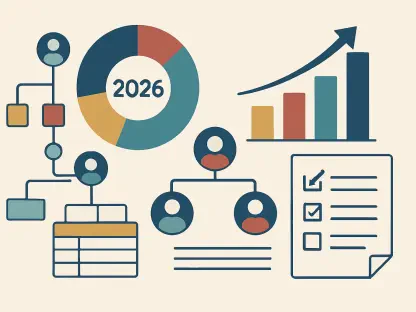
I forecast that by 2026, assignment tracking will move away from being a “destination” and toward becoming an “invisible layer” of the workspace. We will see the rise of “Digital Workers” or AI agents that don’t just track work, but actively perform it—such as automatically re-leveling a team’s workload when a person goes on sick leave or extracting action items from a video meeting transcript in real-time. The most successful organizations will be those that treat their tracking data as an asset for predictive modeling, allowing them to forecast project success with 90% accuracy before the first task is even assigned. Ultimately, the “tracker” will stop being a record of the past and start being a simulation of the future.