
The operational landscape has shifted dramatically since the mid-2000s, moving away from siloed developer tools toward unified environments that connect every department. Marco Gaietti, a seasoned veteran in management consulting and business operations, joins us to discuss the high-stakes transition from legacy systems like Redmine to modern work operating systems. With decades of experience helping enterprises navigate digital transformations, Gaietti provides a roadmap for organizations looking to bridge the gap between technical execution and strategic business goals in an increasingly distributed world.
When moving from a developer-centric tracking tool to a company-wide work operating system, how do you manage the learning curve for non-technical stakeholders, and what specific steps ensure that adoption doesn’t stall during the first ninety days of the transition?
The primary friction point in any transition is the “interface shock” that non-technical users feel when moving away from bare-bones, text-heavy systems. To prevent adoption from stalling, we focus on high-visibility wins within the first ninety days, specifically by replacing confusing forum threads with intuitive, visual boards that everyone can understand at a glance. We’ve seen that a platform’s design directly impacts data quality; if the marketing or finance teams find the tool accessible, they are far more likely to keep their status updates current. One of the most effective steps is to leverage pre-built templates for standardized intake, which removes the “blank page” anxiety for new users and ensures that every department follows a consistent process from day one. By the end of the first three months, the goal is to reach a tipping point where the ROI is undeniable, often reflected in a payback period of under four months as seen in recent economic impact studies.
Traditional text-heavy logs often obscure project bottlenecks until it is too late to pivot. How do you integrate visual aids like interactive Gantt charts and workload views into daily routines, and what metrics best prove these tools improve execution quality over time?
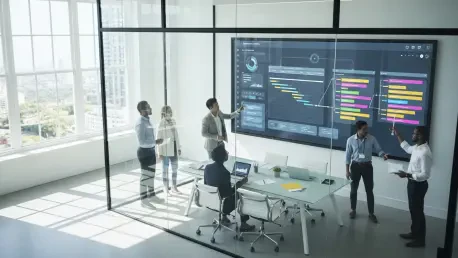
Visual management is the antidote to the “hidden bottleneck” syndrome where critical issues are buried in endless rows of technical logs. By integrating over 15 different perspectives—such as Kanban, Gantt, and Timeline views—we allow managers to toggle between high-level roadmaps and granular task execution instantly. This shift creates a sensory clarity that was previously impossible, as dependencies and milestones become drag-and-drop elements rather than abstract dates in a database. To prove execution quality is improving, we track the reduction in manual status checks and the accuracy of our project baselines. When a team can see their workload balanced in real-time, they avoid the frantic “crunch periods” that typically occur when a project is 80% complete but only 20% of the risks were identified.
Many platforms now use AI to flag at-risk initiatives and predict budget overruns before they escalate. Can you walk through how a project lead should act on these automated alerts and what specific data points are most critical for training these predictive models?
When an AI agent like a Project Analyzer flags a risk, a lead shouldn’t treat it as a definitive failure but as a strategic early-warning signal that requires immediate investigation. The lead should first validate the alert by looking at the specific data points the model prioritized, such as historical velocity, current resource saturation, and past budget variances. These predictive models are only as good as the information they consume, so it is critical to feed them consistent data via 500 or more AI credits monthly to refine their accuracy in identifying patterns. For instance, if the system extracts info and detects a sentiment of delay in communication logs, it can notify the lead to reallocate resources before a deadline is missed. This proactive stance transforms the lead from a reactive “firefighter” into a proactive strategist who adjusts course while options are still on the table.
While open-source tools lack licensing fees, they often carry hidden costs for server maintenance and security patching. When calculating the total cost of ownership, what infrastructure expenses are most commonly overlooked, and how do you justify the premium of a cloud-based commercial solution?
Organizations often fall into the trap of thinking open-source is “free,” overlooking the massive internal costs of server provisioning, disaster recovery, and the continuous need for specialized IT staff to manage security patches. When you move to a commercial cloud solution starting at around $9 to $19 per user, you aren’t just paying for a seat; you are offloading the entire burden of infrastructure and 24/7 maintenance to the vendor. The premium is justified by the liberation of your technical talent, allowing your best engineers to build customer-facing value rather than servicing the internal platforms they use. Additionally, the hidden costs of downtime or a security breach in a self-hosted environment can far outweigh the predictable annual subscription of a managed Work OS. We’ve found that the agility gained from instant scaling and automatic updates provides a competitive advantage that a self-hosted playground simply cannot match.
Automating status changes and resource allocation can significantly reduce administrative drag. How do you design automated workflows that balance team capacity without losing the human element of management, and what experiences have you had where automation directly prevented employee burnout?
Designing these workflows requires a “human-in-the-loop” philosophy where automation handles the drudgery while managers handle the nuances of people operations. We use workload views to monitor team capacity in real-time, setting automated alerts that trigger when a specific individual is assigned more than their established threshold of hours per week. I’ve seen cases where this specific automation prevented burnout by identifying that a senior developer was over-allocated by 40% across three disparate projects that didn’t have a shared visibility layer. By automatically routing new requests to members with documented availability, we remove the “popularity tax” where the most capable employees are buried under the most work. This creates a sustainable rhythm where the digital workforce handles the routing, but the manager still makes the final call on who is best suited for the creative aspects of a task.
Scaling to an enterprise level requires rigorous adherence to certifications like SOC 2 and ISO 27001. How do you balance strict governance and granular permissions with the need for cross-departmental transparency, and what are the practical steps for securing data when involving external guests?
The balance is achieved through a tiered permission architecture where “need-to-know” security doesn’t have to mean “siloed” communication. Enterprise-grade platforms provide the peace of mind of ISO 27001 and HIPAA compliance while still allowing for guest access controls that let you bring in external partners without exposing the entire portfolio. Practically, this looks like using private boards for sensitive financial data but maintaining public “roll-up” dashboards that broadcast high-level progress to the rest of the company. We also implement single sign-on (SSO) and detailed audit logs to ensure that every interaction with sensitive data is traceable and secure. This allows an organization to scale to thousands of users across the globe while maintaining a single, secure source of truth that satisfies even the most stringent regulatory requirements.
Migrating years of historical data from a legacy system involves significant risks regarding data integrity and custom field mapping. What is the ideal timeline for running parallel systems during a move, and how do you validate that complex project relationships remain intact after the transfer?
A successful migration typically spans a window of two to eight weeks, depending on the sheer volume of data and the complexity of the existing project relationships. During this period, running parallel systems is essential because it provides a safety net where teams can verify that custom field mappings and intricate dependencies have survived the transfer intact. We often use professional migration services to manage the heavy lifting of data transformation, ensuring that thousands of historical tickets are properly categorized and searchable in the new environment. Validation involves a rigorous “spot-check” of active projects, comparing the Gantt charts in both the old and new systems to ensure that the critical path remains accurate. Once the team is acclimated and the data integrity is confirmed, you can officially decommission the legacy system with the confidence that no institutional knowledge was left behind.
What is your forecast for the evolution of AI-powered work management?
I forecast that by 2026, we will see a complete shift from management as a series of manual updates to a “predictive operating system” where AI agents function as active teammates. These agents will not just categorize tasks but will act as autonomous campaign managers and project analyzers, monitoring workflows 24/7 to solve resource conflicts before a human even notices them. We are moving toward a world where the interface disappears, and work is managed through natural language prompts and automated roadmaps that update in real-time based on actual output. This evolution will fundamentally change the role of the manager, moving them away from administrative oversight and toward high-level strategic coaching. Ultimately, the winners in this new era will be the organizations that embrace a digital workforce to handle the “how” of work, leaving the “why” entirely to human creativity.