
The silent friction between departments often begins in their disconnected spreadsheets and specialized software tools, where marketing launches a major campaign unaware that IT is simultaneously rolling out new infrastructure, creating a collision course for the same critical resources. This operational blindness is a common symptom of organizational silos, where leadership is forced to piece together a coherent picture of progress from five different status updates, inevitably leading to missed handoffs, duplicated efforts, and strategic initiatives that lose momentum in the gaps between teams. When work is tracked in separate systems, the organization lacks a single, authoritative view of its own operations, making it nearly impossible to align tactical execution with high-level strategy. The solution lies not in more meetings or longer email chains, but in a unified platform that provides a visual, real-time roadmap of all initiatives. By breaking down the barriers that separate project information, the right software can transform fragmented efforts into a synchronized workflow, ensuring that every team, from product development to sales, is operating from the same playbook and moving in the same direction. This guide delves into the platforms designed to create that cohesive environment, exploring how they connect disparate teams and drive collective success in an increasingly complex business landscape.
1. Defining the Modern Business Timeline
Timeline software has evolved far beyond simple scheduling tools, becoming a strategic nerve center that provides a dynamic, visual roadmap connecting an organization’s high-level strategy directly to its day-to-day execution. It functions as a live map, illustrating precisely how the tasks being completed today contribute to the ambitious goals set for the next quarter and beyond. This eliminates the need for managers and executives to constantly toggle between multiple applications—project management boards, spreadsheets, and communication channels—to construct a fragmented understanding of overall progress. A unified timeline gives every team member, from an entry-level specialist to a C-suite executive, a direct and unobscured line of sight into how their specific contributions fit into the larger corporate vision. This clarity fosters a greater sense of purpose and accountability, as individuals can see the immediate impact of their work on downstream teams and overarching company objectives. The platform becomes the single source of truth, a central repository of information that ensures everyone is working with the most current data, plans, and priorities, thereby reducing miscommunication and rework.
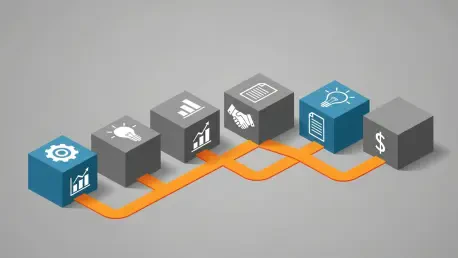
The practical applications of such a system are vast and transformative for cross-departmental collaboration. Organizations can use it to meticulously map complex, multi-phase initiatives, visualizing every interconnected task and assigning clear ownership through robust project schedule management features. This visual clarity is particularly crucial for tracking dependencies between tasks and teams, allowing project managers to identify potential bottlenecks long before they can disrupt the timeline and derail progress. With a comprehensive overview of all active and upcoming projects, leadership can allocate resources with confidence, seeing precisely who is working on what and when their capacity is projected to open up. For example, a marketing team can perfectly time the launch of a multi-channel campaign to coincide with the final phase of a software rollout managed by the IT department. With a shared timeline, both teams can ensure every critical step, from final beta testing to press release distribution, happens in the correct sequence, preventing resource conflicts and costly delays that would otherwise be almost inevitable.
Operating from a single, universally accessible source of truth fundamentally eliminates the friction that naturally arises between departments operating in isolation. When legal, finance, product, and marketing teams all share the same visual understanding of a project’s lifecycle, handoffs become seamless and proactive rather than reactive and chaotic. Strategic initiatives can move from the initial planning stages to final completion with significantly greater speed and precision because the platform automates notifications, updates dependent tasks, and provides real-time status visibility to all stakeholders. This level of transparency dismantles the traditional “us versus them” mentality that can plague large organizations, fostering a more collaborative environment where teams work together to solve problems rather than assigning blame. Ultimately, a well-implemented timeline platform does more than just track progress; it actively orchestrates the complex interplay of activities across the entire organization, ensuring that collective efforts are always aligned and focused on achieving shared business goals.
The shift toward integrated timeline platforms represents a fundamental change in how modern organizations approach work management. It moves beyond the limitations of traditional, linear project management tools like Gantt charts, which often exist in a vacuum, by embedding project schedules within a richer context of resource availability, strategic goals, and inter-departmental dependencies. These platforms provide a multi-dimensional view of work, allowing different stakeholders to see the information that is most relevant to them. An executive can view a high-level portfolio roadmap showing the progress of key initiatives, while a team lead can drill down into a detailed calendar view to manage daily tasks and deadlines. This flexibility ensures that the tool is valuable to everyone, encouraging widespread adoption and consistent use. By making the connections between different work streams visible and manageable, these systems empower organizations to become more agile, responsive, and resilient in the face of changing market conditions and internal priorities.
2. A Comparative Overview of Leading Platforms
For mid-size to enterprise organizations running complex, cross-departmental initiatives, a platform like monday.com offers a comprehensive work management system designed to transform scattered plans into a single, connected workspace. It excels at providing portfolio-level visibility, allowing leadership to track progress, budgets, and workloads across multiple projects from centralized dashboards. With over 15 flexible views, including Gantt, Timeline, and Workload, it ensures that project teams have the detailed perspectives they need while executives get the big-picture overview required for strategic decision-making. Its deep integration capabilities, with over 200 connectors and an open API, are critical for maintaining accurate timelines while allowing teams to continue working in their preferred tools, thus minimizing context switching. In contrast, Microsoft Project is tailored for enterprises already standardized on the Microsoft 365 ecosystem that adhere to formal project management methodologies. It delivers enterprise-grade timeline management with deep scheduling capabilities, advanced resource leveling, and critical path analysis. Its native connectivity with applications like Teams and SharePoint facilitates seamless workflow management within a contained Microsoft environment, making it a powerful choice for organizations requiring rigorous control and detailed reporting. However, potential workflow friction can arise from its separate data stores for web and desktop versions, and advanced reporting often necessitates separate Power BI licensing.
Growing companies focused on aligning strategic goals with daily execution across multiple teams often turn to Asana, which leverages its unique Work Graph architecture to connect high-level objectives directly to individual tasks. Its strength lies in cross-functional coordination, with features like multi-homing allowing tasks to exist in multiple projects simultaneously, providing a unified view of interconnected workflows. Asana’s AI-powered features further enhance coordination by automating workflows and providing smart summaries, helping teams maintain alignment as they execute tactical work. For teams seeking an all-in-one, highly customizable workspace, ClickUp consolidates tasks, documents, chat, and AI-powered insights into a single platform. It is particularly valuable for organizations aiming to reduce tool sprawl, offering multiple timeline views like Gantt and Calendar to suit diverse project types, from marketing campaigns to agile software development sprints. Its native support for Agile methodologies, including built-in Sprints and burndown charts, streamlines development workflows, while its AI assistant, ClickUp Brain, automates task assignments and provides project summaries, boosting productivity across different functions. The platform’s extensive customization options, however, can present a steep learning curve for new users.
Enterprises comfortable with spreadsheet-based workflows but in need of more robust governance and visualization will find Smartsheet to be an effective solution. It masterfully bridges the familiarity of a grid interface with powerful, enterprise-grade timeline management, allowing users to transform traditional spreadsheet data into dynamic Gantt charts and timeline views with critical path tracking. Its Control Center feature is a key differentiator for portfolio-scale governance, enabling the standardization of projects from predefined blueprints and the ability to push global changes across multiple timelines simultaneously. For organizations with strict approval processes and a need for granular resource controls, Wrike offers a compelling combination of interactive Gantt charts, detailed resource management, and AI-powered automation. It excels in environments requiring formal project control and detailed timeline visualization. The platform’s custom workflows allow for configurable approval processes and status transitions, while its Custom Item Types enable the creation of domain-specific work objects, tailoring the system to the unique needs of different departments, from creative teams to engineering.
For project-driven teams whose primary focus is on scheduling accuracy and traditional project management methodologies, GanttPRO provides a specialized solution. It concentrates exclusively on advanced Gantt chart functionality, offering robust features like critical path tracking, baselines for comparing planned versus actual progress, and auto-scheduling. This focused approach is ideal for organizations that need powerful scheduling, resource management, and budget tracking without the complexity of a broader work management ecosystem. Alternatively, TeamGantt is designed for schedule-first teams that require an intuitive, accessible tool for visual timeline control, making it a popular choice in fields like construction, engineering, and marketing. Its user-friendly drag-and-drop Gantt chart interface makes it accessible to users without extensive project management experience. A unique manager-collaborator pricing model also makes it cost-effective for teams with many contributors but only a few core planners, while its live schedule-sharing capabilities reduce the need for status meetings by providing stakeholders with real-time, view-only access to project timelines.
In the broader landscape of work management, several platforms offer timeline functionality as part of a more specialized or flexible ecosystem. Trello, known for its intuitive card-based Kanban system, provides lightweight timeline visualization through Power-Ups, making it suitable for small teams that need simple planning and basic scheduling capabilities without the overhead of complex project controls. Notion reimagines timeline management by embedding it directly within an all-in-one workspace where documentation, databases, and project tracking converge. This is ideal for teams that want timeline functionality seamlessly integrated with their knowledge management system, allowing them to link project schedules directly to meeting notes, project briefs, and team wikis for complete context. Airtable elevates the familiar spreadsheet into a powerful, flexible database, enabling data-driven teams to build connected applications and visualize records chronologically using its Timeline and Gantt views. Its strength lies in managing large-scale operational datasets with advanced formula capabilities and AI-powered automation. Lastly, for a completely different application, HistoryTimeline.com serves educators, researchers, and institutions by providing specialized software for creating curated, interactive historical timelines for presentation and documentation, highlighting the versatility of the timeline visualization concept across different fields.
3. Core Capabilities Every Platform Should Offer
One of the most critical capabilities of any effective timeline software is the ability to present the same underlying data through multiple views tailored to different stakeholders. A CEO requires a high-level, strategic roadmap that visualizes major milestones and overall portfolio health, while a project manager needs a detailed Gantt chart to manage intricate task dependencies and critical paths. Meanwhile, individual team members benefit most from a calendar or Kanban board view that clearly outlines their specific tasks and immediate deadlines. The right platform must cater to all these needs simultaneously without requiring data to be duplicated or re-entered. By allowing each user to select their preferred lens—whether it’s a high-level timeline, a resource workload view, or a simple task list—the software ensures that the information is always relevant and digestible for its audience. This versatility is fundamental to driving adoption across an organization; if the tool only serves the needs of project managers, it will fail to become the central nervous system for cross-departmental work. A platform that successfully provides these varied perspectives fosters a shared understanding of project status and priorities, even when different teams are looking at the information in completely different ways.
Furthermore, timeline software that operates in isolation is destined to create more problems than it solves, quickly becoming another data silo that requires manual upkeep. To be truly effective, the platform must feature native integrations with the existing tools that teams rely on for their daily work. This seamless connectivity is non-negotiable for maintaining a single, accurate source of truth. Direct integrations with communication tools like Slack and Microsoft Teams allow for automated status updates and notifications to be pushed to the channels where conversations are already happening. Connectivity with CRM platforms such as Salesforce and HubSpot ensures that project timelines related to customer commitments are always aligned with the latest sales and account information. Similarly, integration with file storage services like Google Drive, Dropbox, and SharePoint keeps all project-related documents and deliverables linked and accessible directly from the timeline. This robust ecosystem of integrations prevents teams from having to constantly switch between applications and manually update multiple systems, a process that is not only inefficient but also prone to human error, which can lead to inaccurate timelines and flawed decision-making.
The most advanced timeline platforms are increasingly leveraging artificial intelligence to move beyond simple tracking and into the realm of predictive analytics and proactive problem-solving. These systems don’t just show what is happening; they analyze project data to predict what is likely to happen next. AI-powered risk detection capabilities can analyze historical project data and current progress to flag potential bottlenecks, forecast delays, and identify fragile dependency chains that could jeopardize deadlines. For example, an AI might analyze the current workload of a key developer and, based on past performance on similar tasks, predict a high probability of a delay on a critical-path item, alerting the project manager to intervene before the issue escalates. Some platforms can even suggest optimal resource adjustments, recommending reassigning a task to an available team member with the right skills. This intelligent layer transforms the timeline from a passive record of plans into an active, intelligent assistant that helps teams build more resilient and realistic execution plans, ultimately improving project outcomes.
Finally, at the heart of any collaborative endeavor is the need for real-time updates and seamless communication. When one team member updates a task deadline or marks a milestone as complete, every stakeholder affected by that change should be informed immediately and automatically. The chosen software must facilitate this level of synchronization without relying on manual status reports or endless email chains, which are inefficient and often lead to outdated information being circulated. Features like real-time commenting on tasks, automated notifications for changes, and shared, live dashboards are essential. Equally important is robust dependency tracking and resource management. The timeline should do more than just show when tasks are scheduled to happen; it must visually represent how they are connected. This allows managers to see the ripple effect of a single delay across the entire project. Integrated resource management tools are also crucial for preventing team burnout and optimizing productivity by automatically flagging conflicts when individuals are overbooked across multiple projects, ensuring that workloads are balanced and sustainable.
4. The Strategic Advantages of a Unified Timeline
When departments operate on separate systems, the organization’s bigger picture effectively disappears, lost in a fog of fragmented spreadsheets, disconnected project boards, and siloed communication channels. A unified timeline software cuts through this noise, converting disparate efforts into a coordinated, transparent workflow where every employee can clearly see how their individual work connects to the larger whole. This provides leaders with a single source of truth, granting them real-time, comprehensive views of progress, dependencies, and resource allocation that span the entire organization. No longer do they need to micromanage individual teams or solicit manual status updates to understand project health. Instead, they can view high-level dashboards that directly link departmental work to strategic goals, allowing them to make more informed decisions, identify cross-functional opportunities, and steer the organization with greater agility and confidence. This top-down visibility is matched by a bottom-up clarity, where team members feel more engaged and motivated because they understand the strategic relevance of their contributions.
One of the most significant operational benefits of intelligent timeline platforms is their ability to automate resource conflict resolution. In many organizations, top performers are consistently over-allocated, pulled in multiple directions by different departments competing for their expertise. This not only leads to employee burnout but also creates hidden bottlenecks that can stall multiple projects at once. An intelligent platform automatically detects these resource conflicts across departments before they become problematic. By analyzing workloads, skills, and project priorities, the system can flag overextended team members and even suggest optimal reassignments to individuals with available capacity and the requisite skills. This ensures that human capital is deployed in the most effective and sustainable manner, preventing critical initiatives from being delayed due to poor resource planning. It also promotes a healthier work-life balance for employees by protecting them from unsustainable workloads, which can improve morale, reduce turnover, and ultimately lead to higher-quality work.
Modern timeline software makes the intricate web of inter-team dependencies visible and manageable in real-time. In a complex project, a delay in one area can trigger a cascade of problems across the organization—a domino effect that is difficult to foresee when teams work in silos. With a shared timeline, these connections are made explicit. For instance, when a legal team’s approval process takes longer than anticipated, the marketing and sales teams can instantly see the impact on their scheduled product launch. Advanced platforms take this a step further by using automations to adjust the schedules of dependent tasks when an upstream date shifts, automatically notifying all affected parties of the change. This proactive communication prevents downstream teams from continuing to work based on outdated information and allows the organization to adapt to delays gracefully rather than scrambling to react to a crisis. This level of transparency and automation builds a more resilient and agile operational framework.
Beyond managing current work, the most sophisticated platforms offer predictive risk management, allowing teams to see potential roadblocks long before they encounter them. By leveraging AI-powered analytics, the software can analyze data from past and current projects to flag potential bottlenecks, deadline conflicts, and fragile dependency chains that are at high risk of breaking. The system learns from previous projects, identifying patterns that led to delays or failures, and applies these insights to help teams build more robust and realistic execution plans from the outset. This predictive capability is complemented by streamlined stakeholder communication features. Instead of spending hours manually compiling status reports and PowerPoint presentations, project managers can generate visual, easy-to-understand updates directly from the live project data. With customizable dashboards for executives, detailed Gantt chart views for project teams, and simplified, shareable timelines for external partners, the platform ensures that every stakeholder receives the right level of information without any extra effort, keeping everyone aligned and informed throughout the project lifecycle.
5. A Strategic Framework for Selection and Implementation
Selecting the right timeline software involves a far deeper analysis than simply comparing feature lists or plotting dates on a chart; it is about choosing a central nervous system that will connect every team, department, and strategic goal across the organization. The process should begin with a thorough assessment of your current tool ecosystem. Your new timeline platform must not become yet another information silo; it must integrate seamlessly with the tools your teams use on a daily basis to create a single, unified source of truth. Before evaluating any new software, it is crucial to map your existing technological landscape to identify where data needs to flow. Key integrations to evaluate include communication platforms like Slack or Microsoft Teams to ensure project updates are synced with collaborative channels, CRM and finance systems like Salesforce to link project timelines directly to customer commitments and budget tracking, and file storage solutions to keep all project deliverables connected and accessible. Choosing a platform with a flexible API and a wide array of native integrations ensures that timeline data can flow effortlessly across your entire tech stack, from sales and marketing to finance and operations.
Once the integration requirements are understood, the next step is to evaluate your organization’s specific collaboration requirements. A platform built for small, co-located teams will not scale effectively for a globally distributed workforce with complex, multi-stage approval chains. The timeline software you choose should reflect and enhance your company’s unique collaboration style. Consider who will need access to the platform and what level of control each user role requires. An effective platform must support a variety of work modes. It should allow for the configuration of custom permissions, giving clients, contractors, and internal teams the exact level of visibility they need without exposing sensitive information. It should also enable real-time, frictionless collaboration, allowing multiple users to edit, comment, and update project information simultaneously. Furthermore, for processes that require formal oversight, the software should support the creation of structured approval workflows, while still allowing for flexible, agile collaboration on other types of work. This balance between structure and flexibility is key to ensuring the tool is adopted enthusiastically by all teams.
Superior software should deliver tangible value in days or weeks, not months or quarters. A long, complicated implementation process drains valuable resources, frustrates users, and delays the achievement of desired business outcomes. Therefore, organizations should seek out platforms that prioritize an intuitive design and a flexible adoption path. Teams should be able to start building basic workflows and timelines almost immediately without needing extensive, formal training. Platforms that are highly adaptable also allow for a gradual rollout of more advanced features as the organization’s needs evolve and user maturity grows. This approach minimizes disruption and builds positive momentum from the start. The speed to value is a critical metric; a tool that is easy to adopt and demonstrates immediate benefits is far more likely to become deeply embedded in the organization’s daily operations than a more powerful but overly complex system that requires a significant upfront investment in training and configuration.
A successful implementation hinges on a well-defined strategy that extends beyond the initial software purchase. The most effective approach is a phased rollout plan that builds momentum and generates early wins. Start with a small pilot group in a department that exhibits supportive leadership, a capacity for providing constructive feedback, and a focus on high-value workflows involving multiple dependencies and stakeholder visibility, such as a marketing campaign launch or a cross-functional product release. These early adopters can help work out any kinks in the process and become internal champions for the new system. Paired with this rollout is the need for role-specific training; one-size-fits-all training sessions are rarely effective. Executives need to learn how to access high-level dashboards, project managers need deep dives into dependency and resource management, and individual team members need to understand how to update their tasks and collaborate within the platform. A combination of hands-on workshops using real company projects, a library of on-demand video tutorials, and a peer mentoring program can ensure everyone learns what is relevant to them, driving rapid and sustained adoption across the organization.
6. From Disparate Plans to a Unified Vision
The evolution of timeline software has marked a significant shift from simple scheduling displays to sophisticated, strategic coordination platforms. These modern systems are engineered to connect the granular, day-to-day work of every team directly to the overarching goals of the organization. By providing a transparent and shared visual framework, they effectively eliminate the blind spots and communication gaps that arise from siloed departments. This gives leaders unprecedented, real-time visibility into progress, dependencies, and resource allocation across the entire organizational landscape. More than just a tool for project managers, a unified timeline platform becomes the connective tissue that binds disparate functions together, fostering a culture of collaboration and shared accountability. It transforms a collection of independent work streams into a synchronized engine of execution, ensuring that all parts of the business are moving in concert toward a common destination. The true value of such a system lies in its ability to make strategy tangible and actionable for everyone, bridging the often-wide gap between high-level planning and on-the-ground execution.
The successful transition from fragmented workflows to a cohesive operational picture began with a critical evaluation of the existing tool ecosystem, which identified the significant gaps in timeline visibility that were hindering cross-departmental alignment. Careful consideration was given to how a new platform would not only fill these gaps but also integrate seamlessly with the essential applications that teams already relied upon. The decision to initiate the rollout with a pilot department characterized by supportive leadership and high-value, collaborative workflows proved to be a pivotal strategy. This focused approach allowed for the collection of real, actionable feedback and the demonstration of tangible results in a controlled environment. The success stories and best practices generated by this initial group created a powerful internal case study, which then fueled a wider, more enthusiastic adoption across the organization, ultimately leading to a more connected, efficient, and strategically aligned enterprise.