
Restricting outbound access to private IPv4 ranges like 10.0.0.0/8 and 192.168.0.0/16 ensures that internal clients cannot interact with sensitive infrastructure provided by a service provider or hypervisor. As modern households transform into sophisticated digital hubs, the complexity of managing an array of interconnected devices presents a significant challenge to personal data privacy. Every smart thermostat, wireless speaker, and intelligent lighting system acts as a potential entry point for malicious actors who exploit the typically weak security protocols found in consumer electronics. The prevalence of these Internet of Things (IoT) devices has created a situation where a traditional, open network architecture is no longer sufficient to protect sensitive information such as financial records or personal communications. To mitigate these risks, homeowners must shift their perspective from viewing the router as a simple gateway to treating it as a robust perimeter firewall capable of granular traffic control. By establishing strict rules that dictate how devices communicate both internally and externally, one can prevent a single compromised gadget from jeopardizing the entire network integrity. This proactive stance is essential for maintaining a secure environment in an age where automated threats are becoming more sophisticated and pervasive across the global internet infrastructure.
1. Establishing Dedicated Subnets for IoT Device Isolation
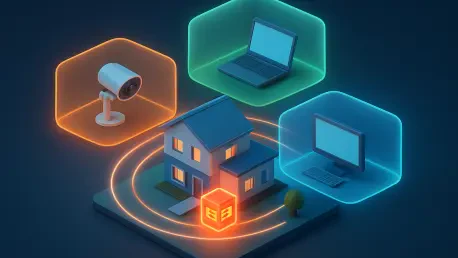
Establishing a dedicated network and subnet specifically for smart devices and guest electronics is the first critical step in decoupling vulnerable hardware from sensitive personal data. In a standard home network, all devices usually sit on the same flat subnet, meaning a compromised smart camera could theoretically scan and attack a primary workstation or a backup server. By utilizing Virtual Local Area Networks (VLANs) or secondary physical interfaces, a network administrator can create an isolated environment where IoT devices exist in a separate logical space. This segregation ensures that even if a device is running outdated firmware with known vulnerabilities, its reach is confined to its own small corner of the network. This architectural change serves as the foundation for all subsequent firewall rules, as it allows the router to distinguish between “trusted” devices, like a personal laptop, and “untrusted” ones, like a cheap smart plug. Without this initial separation, the firewall would have no way to apply different security policies to different classes of hardware effectively.
Assigning this newly created network to its own firewall zone allows for granular control over traffic flows, specifically by setting the zone policies to reject both Input and Forward traffic by default. In most firewall management interfaces, the “Input” chain refers to traffic destined for the router itself, while “Forward” refers to traffic moving from one network segment to another. By setting these to a “Reject” status, the administrator ensures that the IoT devices cannot initiate any connection to the router management page or to the main private network where sensitive devices reside. Meanwhile, the “Output” policy should be set to “Accept” to allow the router to send necessary communications to the devices when required. This “Default Deny” posture is a hallmark of professional security configurations, as it assumes all traffic is malicious unless explicitly permitted. It effectively cages the smart devices, allowing them to perform their intended functions while stripping away their ability to act as a pivot point for lateral movement within the household’s digital infrastructure.
2. Configuring Essential Traffic Exceptions for IoT Stability
While isolation is paramount for security, smart devices still require basic networking services to function, necessitating specific traffic exceptions for DHCP and DNS communication. A device that cannot receive an IP address or resolve a domain name is essentially useless, so the firewall must be configured to allow these specific types of traffic through the otherwise closed “Input” chain. To do this, one should create a rule that allows UDP traffic on port 67 from the IoT network to the router, which facilitates the Dynamic Host Configuration Protocol (DHCP) handshake. Additionally, both TCP and UDP traffic must be permitted on port 53 to allow the devices to reach the Domain Name System (DNS) resolver. These rules should be narrow and specific, targeting only the necessary ports and protocols rather than opening up the entire firewall. By carefully poking these small “holes” in the defensive wall, the administrator maintains a balance between high-level security and the practical usability of the smart home ecosystem.
Verification of these rules involves testing the boundaries of the isolated network to ensure that while the internet remains reachable, the router management interface and other private hardware are strictly off-limits. A common method for validation is to attempt to access the router’s web-based administration page from a device connected to the IoT subnet; if the firewall is working correctly, the connection should be immediately rejected or timed out. Similarly, one should attempt to “ping” a computer on the main trusted network from an IoT device to confirm that no lateral communication is possible. These tests provide the necessary empirical evidence that the security policies are being enforced as intended. Once the baseline connectivity is established and the isolation is confirmed, the network becomes significantly more resilient against the types of automated scanning and exploitation that characterize modern cyberattacks. This layered approach to traffic management ensures that the most vulnerable components of the network are effectively neutralized as potential threats to the core data.
3. Preventing Outbound Access to Upstream Private Networks
The threat model for a home network must extend beyond the local subnet to include upstream hardware like modems or hypervisors that may reside on the WAN side. Many users are unaware that even when traffic is sent “outside” toward the internet, it can still reach other private devices if the Internet Service Provider (ISP) or the local virtualization environment uses private IP addressing. For instance, an ISP-provided fiber ONT or a cable modem often has its own internal web interface located at an address like 192.168.100.1. If a compromised smart device on the local network begins scanning for private IP ranges, it might find and exploit a vulnerability in that upstream modem, potentially giving an attacker control over the entire internet connection. This type of “escaping” from the local network into the service provider’s infrastructure is a subtle but dangerous vulnerability that requires a specific firewall rule to mitigate. By blocking all outbound traffic destined for private ranges at the WAN interface, the administrator adds an extra layer of protection that covers the gaps left by standard NAT configurations.
Implementing a comprehensive traffic rule to identify and reject any outgoing connection from the IoT network targeting private IPv4 ranges is essential for preventing this form of lateral movement. This rule should specifically target the RFC 1918 address blocks, which are reserved for private use and should never be the destination for traffic heading out to the public internet. By creating a rule that matches any destination within 10.0.0.0/8, 172.16.0.0/12, and 192.168.0.0/16, the firewall can instantly terminate any suspicious outbound probes. Furthermore, it is increasingly important to include the Carrier-Grade NAT (CGNAT) space, defined by the 100.64.0.0/10 range, as many modern ISPs utilize this for their internal routing. This policy should be applied to all protocols and ports without exception, ensuring that no device can attempt to log into a modem web interface or scan for open SSH ports on upstream equipment. This strategy effectively isolates the home network not just from other local devices, but also from the management layers of the ISP and any underlying hypervisor infrastructure.
4. Safeguarding ISP Infrastructure and Internal Hypervisors
The necessity of blocking private ranges on the WAN interface becomes even more apparent in professional or enthusiast setups where the router might be a virtual machine running on a hypervisor like Proxmox or ESXi. In these scenarios, the physical server itself often has a management IP address within a private range that is accessible via the same network interface used by the virtual router. Without a rule specifically prohibiting access to these ranges, a malicious device on the home network could potentially “see” the management interface of the entire server hosting the firewall. This could lead to a catastrophic failure where an attacker gains control over every virtual machine on the host, including backups and personal storage. By enforcing a strict policy that rejects all traffic from untrusted zones to any private IP space, the administrator ensures that the “virtual” and “physical” layers of the network remain properly separated. This level of defense-in-depth is critical for maintaining the integrity of the computing environment in a world where hardware and software boundaries are increasingly blurred.
By applying these restrictive policies across the board, an administrator can effectively neutralize the ability of a compromised device to scan for or log into the web interfaces of ISP-provided infrastructure. It is common for ISP modems to have “backdoor” credentials or unpatched vulnerabilities that are easily exploitable if a device can reach the login page. When a smart device is restricted from even seeing these addresses, the attack surface is reduced to nearly zero. This rule is particularly effective because it requires no maintenance once established; as long as the private IP ranges remain the same, the firewall will continue to block any unauthorized attempts to reach upstream hardware. This simple yet powerful configuration prevents a local IoT compromise from escalating into a full-scale takeover of the home’s internet gateway. The peace of mind provided by knowing that untrusted devices cannot interact with the very hardware that provides connectivity is a significant benefit of this granular firewall management strategy.
5. Intercepting and Rerouting Local DNS Traffic
Many modern smart devices are hard-coded to use specific external DNS servers, such as those provided by Google (8.8.8.8) or Cloudflare (1.1.1.1), which can bypass local security filters and logging. This behavior is often intended by manufacturers to ensure that the device functions even if the local network’s DNS is misconfigured, but it presents a major security and privacy loophole for the homeowner. When a device bypasses the local resolver, it circumvents any domain-level blocking that might be in place to stop telemetry, advertising, or communication with known malicious command-and-control servers. In 2026, where data harvesting is a primary revenue stream for many hardware vendors, keeping DNS queries within the local network is a vital component of a privacy-first strategy. By allowing devices to talk directly to external DNS providers, the user loses visibility into what the devices are doing and where they are sending data, making it much harder to detect an ongoing security breach or a privacy violation.
To reclaim control over network naming services, one must configure a NAT redirection or port forwarding rule that intercepts all traffic from the IoT zone attempting to use port 53. This technique, often referred to as “Transparent DNS Redirection,” works by looking for any packet destined for port 53 that is not headed for the router’s own internal IP address. When the firewall identifies such a packet, it rewrites the destination address to point back to the local DNS resolver before the packet ever leaves the network. From the perspective of the smart device, it believes it is still communicating with its hard-coded server at 8.8.8.8, but in reality, the query is being answered by the router or a local security appliance like a Pi-hole or AdGuard Home. This method is incredibly effective because it requires no changes to the configuration of the individual devices, many of which do not even offer the option to change DNS settings. By forcing all naming queries through a single, controlled point, the administrator ensures that every single device on the network is subject to the same security filtering and logging standards.
6. Validating DNS Integrity and Strengthening Future Security
Redirecting these intercepted requests to the router’s internal DNS service ensures that every query is handled by a preferred local resolver, regardless of the destination specified by the device. This allows for the implementation of advanced security features, such as DNS-based malware blocking and the filtering of invasive tracking domains that are common in smart home products. When the local resolver handles the query, it can check the requested domain against a blacklist of known threats and return a “null” or “blocked” response if a match is found. This effectively breaks the communication chain for malicious software without requiring the firewall to know the specific IP addresses of the threat actors, which can change frequently. Furthermore, this centralization of DNS traffic provides a wealth of troubleshooting data, allowing the administrator to see exactly which external services each device is trying to contact. This visibility is often the first step in identifying a device that has been compromised or is behaving in a way that violates the user’s privacy expectations.
Confirming the success of this redirection can be achieved through clever testing methods, such as performing lookups for local-only hostnames using external DNS addresses. For example, a user could use a command-line tool to ask Google’s 8.8.8.8 for the IP address of a device named “home-server.local,” which should only exist in the router’s internal records. If the firewall redirection is working, the router will intercept that request and return the correct local IP address, even though the real Google DNS server would have no knowledge of that internal name. This test provides definitive proof that the NAT rule is successfully catching and rerouting outbound DNS traffic. Once this rule is in place, the network administrator has effectively closed one of the most common “backdoors” used by smart devices to evade local policy. The combination of network isolation, WAN-side protection, and DNS enforcement creates a comprehensive defensive posture that is far superior to anything provided by a standard out-of-the-box configuration. This methodical approach to firewalling ensures that the home remains a secure sanctuary in an increasingly connected and complex digital world.
7. Actionable Steps for Enhancing Home Network Resilience
The implementation of these three core firewall rules provided a significant uplift in the security posture of modern home networks. By isolating IoT devices into dedicated subnets, preventing lateral movement to upstream hardware, and enforcing local DNS policies, administrators achieved a level of control that was previously reserved for enterprise-grade environments. These measures effectively neutralized the threat of compromised smart devices acting as a bridge to more sensitive hardware, while also ensuring that tracking and telemetry were kept to a minimum through centralized filtering. The transition from a permissive default configuration to a more restrictive “zero-trust” inspired model within the home demonstrated that even complex security challenges could be managed with the right set of technical policies. Users who adopted these strategies observed a marked decrease in suspicious network activity and a corresponding increase in their overall data privacy. Security experts noted that these foundational rules formed a robust baseline that protected against the majority of automated threats encountered in the daily digital landscape.
Moving forward, maintaining this security posture required consistent auditing and the adoption of a vigilant mindset even for the most mundane household electronics. It was discovered that as new devices were added to the home, the initial effort spent on setting up proper firewall zones saved countless hours of potential troubleshooting and incident response. The success of these rules highlighted the importance of viewing the home router not just as a utility, but as a critical piece of security infrastructure. Future considerations for home networkers involved the exploration of encrypted DNS protocols like DNS over HTTPS (DoH) to further protect query privacy from external observers. Additionally, the practice of regularly reviewing firewall logs became a standard procedure for those wishing to stay ahead of emerging threats. By treating the home network as a living ecosystem that required active management, residents successfully protected their digital lives from the ever-present risks of the modern internet. These steps established a clear path for anyone looking to reclaim their digital sovereignty and ensure a safe computing environment for years to come.