
With decades of experience in management consulting and a refined focus on business operations, Marco Gaietti has navigated the shifting tides of workplace technology for some of the world’s most complex organizations. His expertise lies in identifying the precise moment when a company’s internal tools transition from being an asset to a liability, particularly when custom-built environments begin to collapse under their own weight. In this discussion, we explore the evolving landscape of work management, focusing on the strategic shift away from “do-it-yourself” platforms like Podio toward intelligent, AI-driven ecosystems. Gaietti provides a roadmap for organizations looking to eliminate the “operational tax” of maintenance and move toward a future where execution is seamless across every department.
The following conversation examines the critical limitations of manual workflow maintenance and the hidden costs of managing a fragmented tech stack. We delve into a comprehensive evaluation of fifteen modern alternatives, ranging from heavy-duty portfolio managers to agile software trackers and niche vertical solutions. Gaietti also outlines a rigorous four-step migration strategy designed to protect institutional knowledge while modernizing daily operations. By the end of this interview, readers will understand how to choose a platform that offers not just features, but a scalable foundation for long-term growth.
Many teams find that building every workflow from scratch eventually turns into a full-time maintenance job. How do you advise leaders to identify when their DIY approach has crossed the line from custom flexibility to a maintenance burden that actively drains productivity?
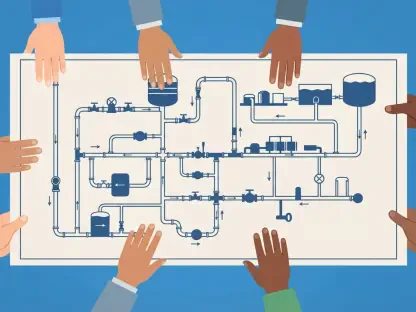
The breaking point usually arrives when your most talented project managers start spending 40% of their week adjusting “bricks” in the system rather than actually managing projects. In a DIY environment like Podio, the initial allure of total control is intoxicating, but as a company scales, that flexibility becomes a hidden operational tax that pulls staff away from their core responsibilities. You know you’ve crossed the line when work between departments starts to feel like a series of manual handoffs and “workarounds” rather than a fluid process. If you find your internal staff is shouldering the responsibility of governing every single workflow manually, you are no longer using a tool; you are managing a second business just to keep the first one running. It is a sensory drain where the feeling of “being in control” is replaced by the constant anxiety that one broken automation link will halt the entire supply chain or marketing launch.
Looking at the 2026 landscape, we see a massive shift toward AI-integrated platforms like monday.com. What are the specific emotional and functional benefits teams feel when they move from manual triage to a system where AI handles the repetitive cognitive load?
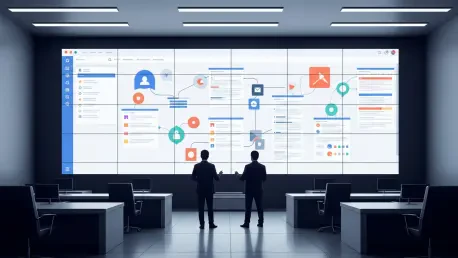
Moving to an AI-powered platform feels like finally having a digital workforce that understands the context of your goals without being asked. Functional benefits are immediate; for example, monday.com’s AI Work Platform embeds intelligence directly into the boards, allowing it to categorize incoming requests and extract key details from files automatically. This eliminates the “triage fatigue” that usually plagues operations teams who have to spend hours routing tickets to the right owner. Emotionally, it shifts the team’s focus from administration to execution, which significantly boosts morale—people want to make decisions, not enter data. When you realize that the platform is flagging risks and predicting bottlenecks before they happen, the atmosphere in the office changes from reactive firefighting to proactive strategy, often resulting in a payback period of under four months according to Forrester studies.
There are fifteen notable alternatives listed for cross-departmental work, from Asana to Smartsheet. If a mid-sized organization is paralyzed by choice, how should they weigh the trade-offs between “feature density” and “spreadsheet-grade power”?
The choice should always be dictated by the “user’s primary language.” If your team is composed of finance and operations veterans who think in grids, Smartsheet offers a natural transition by scaling spreadsheet logic into a governed, enterprise-wide portfolio, though you must watch out for the cost of add-ons like the Control Center. On the other hand, if your priority is “everything in one place,” ClickUp offers incredible feature density with whiteboards and time tracking, but it comes with a steep learning curve that can overwhelm less tech-savvy departments. For leadership teams that need to connect daily tasks to high-level company outcomes, Asana’s Work Graph model is excellent for visibility, even if its two-user free tier limit makes it difficult for small teams to start. You have to balance the complexity your administrators can handle against the simplicity your frontline employees need to actually adopt the tool, otherwise you’ll end up with a powerful engine that nobody knows how to drive.
For more technical or specialized squads, we see platforms like Jira for developers or REsimpli for real estate. How do these niche solutions compare to horizontal platforms when it comes to long-term scalability?
Niche solutions offer “speed to lead” because they come with industry-specific workflows already baked in, which is a massive relief for teams that don’t want to build from scratch. REsimpli, for instance, is a powerhouse for real estate wholesalers because it includes telephony, marketing automation, and accounting in one box, even utilizing nine different AI agents to score leads 24/7. However, the trade-off is often rigidity; if your business model shifts slightly, you might find yourself fighting against the tool’s pre-built logic. Horizontal platforms like monday.com or Wrike offer more long-term flexibility because they can adapt as you grow, but they require a bit more initial thought to set up. For instance, Jira is the undisputed heavyweight for engineering squads due to its two-way dev tool sync, but HR or Marketing teams often find its technical DNA to be cold and difficult to navigate for creative workflows.
Migration is often the biggest hurdle, with leaders fearing the loss of institutional knowledge. Can you walk us through how to structure a migration—specifically the auditing and mapping phases—to ensure that data isn’t just moved, but actually improved during the process?
Migration should never be a 1:1 “copy-paste” job; it’s an opportunity to perform an architectural exorcism on your old, cluttered workflows. The first step is a meticulous audit where you catalog every active app, user permission, and integration, identifying what is mission-critical and what is just legacy noise that can be retired. During the mapping phase, you translate Podio items into the new system’s logic—for example, turning a Podio app into a monday.com board or a Smartsheet grid, and transforming relationship fields into connected board columns. I always recommend running parallel systems for at least two to four weeks, keeping the old tool in “read-only” mode so teams can validate their data in the new environment without the risk of data loss. By the time you get to the training phase, use real project data so the experience feels tangible and role-specific, which prevents the “spreadsheet smuggling” that happens when a new interface feels too abstract or forced.
One of the most dangerous phases of a tool swap is when employees reject the new interface. How do you suggest using internal champions and real-world data to make a transition feel like an upgrade rather than a corporate mandate?
To guarantee adoption, you have to prove that the new platform is a “gift” of time rather than an extra chore on their to-do list. This starts by identifying internal champions—peer leaders who aren’t in management—and giving them early access so they can troubleshoot and advocate for the tool within their own departments. When you roll it out to the wider group, don’t give a generic tour; show a marketing manager exactly how the AI will extract details from their creative briefs, or show an HR lead how their onboarding flow is now fully automated. Most teams feel comfortable within two weeks to a month if they see their own live projects reflecting real progress in the new views, whether that’s a Gantt chart or a Kanban board. If they see the platform doing the heavy lifting—handling the reminders, the routing, and the reporting—they will naturally gravitate toward it because it makes their workday feel lighter and more focused.
What is your forecast for the future of work management as we head toward 2026 and beyond?
My forecast is that the “Build-it-Yourself” era is officially ending, replaced by the era of the “Intelligent Digital Workforce.” In the next few years, we will see a move away from static project trackers and toward platforms where AI doesn’t just suggest actions, but autonomously executes them—handling everything from resource adjustment to risk mitigation without human intervention. We are already seeing this with monday.com’s Digital Workers, like the Campaign Manager or Onboarding Helper, which operate across departments to handle real work 24/7. Companies that cling to manual maintenance will find themselves paralyzed by operational overhead, while those that adopt intelligent, cross-departmental platforms will see a massive acceleration in their “time to value.” The ultimate goal is a workspace that acts as a central nervous system for the company, where strategy and execution are no longer two separate conversations, but a single, AI-enhanced reality.