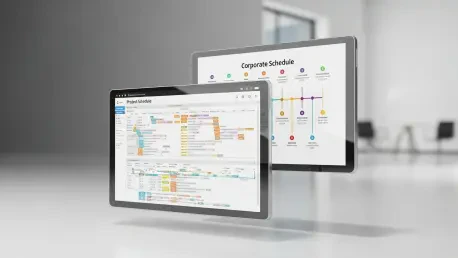

Transitioning a visionary corporate strategy into a tangible sequence of operational successes requires more than just high-level ambition; it demands a precise visual architecture that bridges the gap between executive intent and daily execution. While many leaders acknowledge the necessity of a business plan, the failure to translate abstract goals into a synchronized timeline often leads to resource conflicts and missed milestones. The adoption of visual roadmapping tools, specifically Gantt charts, has become the standard for navigating these complexities, yet a critical distinction remains between those used for long-range business planning and those used for granular project management. Understanding the nuanced differences between a strategic roadmap and a tactical schedule is essential for any leadership team aiming to maintain a competitive edge in a fast-moving market.
Understanding Visual Timelines in Strategic and Tactical Management
A business plan Gantt chart serves as a long-range visual roadmap, typically spanning a horizon of 12 to 24 months, designed to map out overarching strategic objectives and significant operational shifts. This type of visualization does not concern itself with the minute details of daily tasks but focuses instead on the broad strokes of corporate evolution, such as entering new geographic territories or restructuring a department. By providing a macro-level view, it allows executives to see how different initiatives across the organization intersect and support the primary mission. In contrast, a project Gantt chart is a tactical instrument employed to manage specific deliverables, focusing on the immediate requirements of a single undertaking. It functions as the engine room of execution, detailing every task, sub-task, and hourly deadline necessary to cross the finish line of a particular project.
The integration of modern digital platforms has fundamentally changed how these charts are utilized within a corporate ecosystem. Tools such as monday work management, Microsoft Teams, and Slack have replaced the static, siloed documents of the past with dynamic environments where strategy and communication coexist. While traditional spreadsheet software like Excel remains a common starting point due to its accessibility, it often lacks the automated dependency tracking and real-time collaborative features required for complex multi-year planning. Effective organizations use these platforms to create a “single source of truth,” where a high-level milestone in a business plan can be linked directly to the specific project boards where the work is actually happening. This connectivity ensures that when a tactical project slips, the strategic impact is immediately visible to leadership.
The relevance of these visual tools lies in their ability to transform abstract theories of growth into manageable, time-bound realities. They provide much-needed clarity on inter-departmental dependencies, ensuring that the marketing team is not launching a campaign for a product that the engineering team has not yet finished. By visualizing resource allocation and accountability in cross-functional environments, Gantt charts help leadership move from a defensive, reactive management style to a proactive stance. Instead of discovering a resource bottleneck when a project stops, managers can look ahead on the timeline and identify periods of over-saturation months in advance, allowing for the reallocation of budgets or the adjustment of hiring plans before a crisis occurs.
Key Differences Between Business Plan and Project Gantt Charts
Strategic Horizons vs. Item-Level Granularity
One of the most striking differences between these two types of Gantt charts is the timeframe in which they operate. Business plan charts are built for the long haul, often looking at a fiscal year or a multi-year expansion strategy. Because they cover 12 to 24 months, the increments of time are usually measured in weeks, months, or even quarters. This extended horizon is necessary for tracking slow-moving but high-impact initiatives like regulatory reviews, capital fundraising, or brand repositioning. On the other side of the spectrum, project Gantt charts are far more immediate, typically focusing on a window of a few weeks to several months. These charts track the rapid-fire progression of tasks required to meet a specific release date, making them the preferred tool for technical contributors and project leads who need to know exactly what is due by Friday at noon.
The level of detail included in each chart further distinguishes their purposes. In a business planning context, a single horizontal bar might represent a phase as broad as “Market Entry Preparation” or “Series B Funding Secured.” There is no need to list every meeting or document draft within this view, as doing so would clutter the strategic vision and overwhelm executive stakeholders. Conversely, a project management chart thrives on minutiae. It dives deep into the weeds, tracking individual sub-items, hourly deadlines, and specific assignees for every small piece of the puzzle. While the strategic chart tells the “why” and the “when” of the company’s future, the project chart provides the “how” and the “who” for the tasks at hand.
This difference in granularity dictates the primary audience for each visualization. Business plan charts are tailored for the C-suite, boards of directors, and potential investors who require a “birds-eye view” to assess the viability and health of the company. These stakeholders are interested in milestones that represent business value, such as “10,000th User Acquired” or “European Logistics Hub Operational.” Meanwhile, the technical and operational teams rely on project charts to navigate their daily workloads. For a project manager, knowing the specific status of a software bug fix or a graphic design revision is critical for unblocking the team. Mixing these audiences often leads to confusion, as executives may get bogged down in technical trivia while project teams may lose sight of how their daily tasks contribute to the broader corporate mission.
Portfolio Integration vs. Single Project Scope
The breadth of view offered by a business plan Gantt chart is essentially a portfolio view, which is vital for organizational synchronization. Instead of looking at a single siloed project, this high-level chart shows how multiple, often unrelated initiatives interact with one another. For instance, a company might simultaneously be launching a “New Product Line,” implementing a “Customer Support Expansion,” and undergoing a “Digital Transformation” of its internal HR systems. The business plan Gantt chart puts all these moving parts on one timeline, allowing leaders to see the cumulative demand on the organization’s resources. This holistic perspective is the only way to ensure that the aggregate weight of all active projects does not exceed the total capacity of the staff or the available capital.
Conflict detection becomes significantly easier when this portfolio-wide visualization is in place. By seeing the entire organization’s health in one place, leadership can identify potential “traffic jams” where multiple major launches compete for the same marketing budget, legal review time, or sales personnel. If the business plan shows that three major products are scheduled to go live in the same month, a CEO can make the strategic decision to stagger the launches to ensure each receives the full attention of the go-to-market teams. This level of foresight is impossible when projects are managed in isolation, where each team assumes they have the undivided attention of the company’s shared resources.
Standard project Gantt charts, by design, focus on the isolation of a single project scope. Their primary objective is to manage the specific critical path of that one deliverable, ensuring that every internal dependency is met to reach a defined finish line. While this is necessary for successful delivery, project-level charts often fail to account for external organizational demands or shifting corporate priorities. A project team might be perfectly on schedule according to their internal chart, yet completely unaware that a shift in the overall business plan has rendered their project a lower priority for the upcoming quarter. Using a platform like monday work management helps bridge this gap by allowing individual project boards to feed data into a master portfolio dashboard, ensuring that the tactical efforts remain aligned with the strategic direction.
Flexibility and Evolution vs. Strict Contractual Delivery
The way a plan adapts to change is perhaps the most critical functional difference between these two tools. Business plan charts are intentionally built with “rolling horizons,” acknowledging that the future becomes increasingly uncertain the further out one looks. In this model, the immediate three to six months are planned with a higher degree of certainty, while distant phases remain high-level placeholders. This allows for strategic pivots in response to dynamic market conditions, such as a sudden shift in consumer behavior or the emergence of a new competitor. Because the strategic roadmap is a living document, it is expected to evolve, serving more as a compass than a rigid map. This flexibility allows leadership to adjust the sails without demoralizing the entire organization every time a long-term goal is refined.
In contrast, project Gantt charts are frequently tied to strict delivery contracts, specific technical scopes, and fixed budgets. In sectors like construction or software development for external clients, the project chart often represents a formal commitment to deliver a specific outcome by a certain date. This makes them much less fluid than strategic roadmaps. Changes to a project Gantt chart often require formal “change requests” and can have immediate financial or legal implications. While project managers still need to be agile, they are operating within much tighter constraints where the primary goal is to hit the “Go-Live” date with the promised features. The project chart is the record of performance against a specific promise, whereas the business plan chart is the record of progress toward a vision.
Risk management also takes a different form in each of these visualizations. Strategic charts utilize risk buffers and “decision gates” to account for the inherent volatility of the business world. A decision gate is a formal review point on the timeline where leadership evaluates performance data to decide whether to proceed with the next major investment phase. This helps protect the company’s capital by preventing “sunken cost” fallacies. Project charts, however, focus on mitigating technical bottlenecks and resource constraints to meet those fixed deadlines. They track things like “lag time” between tasks and the availability of specific equipment. While a strategic risk might be a change in government regulation, a project risk is more likely to be a key developer falling ill or a hardware shipment being delayed.
Challenges and Considerations in Visual Planning
A frequent obstacle in visual planning is the pitfall of over-detailing, which often results in what experts call “false precision.” This occurs when a manager attempts to detail every small activity for a phase that is scheduled to happen eighteen months in the future. The effort spent planning at this level of granularity is almost always wasted, as market conditions, team compositions, and corporate priorities will inevitably change before that phase even begins. When a plan is too detailed too early, it becomes brittle; any small change in the present requires a massive re-working of the entire future timeline. This leads to administrative burnout where more time is spent updating the chart than actually executing the strategy. Successful leaders learn to keep the distant future simple, only adding detail as the milestones draw closer.
Another significant challenge is the presence of “hidden dependencies” that often go overlooked during the initial planning stages. Organizations frequently face technical difficulties and delays because they fail to account for the “invisible” work that supports a major initiative. For example, a marketing launch might be perfectly scheduled, but if the timeline fails to include the four-week legal review required for new partnership contracts, or the two-week IT infrastructure setup needed for a high-traffic landing page, the entire launch will be delayed. These cross-functional handoffs are where most plans fail. A robust business plan Gantt chart must force every department to look at the timeline and identify where they are expected to provide support, ensuring that these “quiet” tasks are given the time and resources they require.
The limitations of static tools like Excel represent a third major consideration for modern businesses. While a spreadsheet can be a useful way to sketch out an initial idea, it quickly becomes a liability in a real-world application where multiple people need to collaborate. Excel lacks automated dependency tracking, meaning that if one task is delayed, every subsequent date must be manually updated—a process prone to human error. Furthermore, static files do not offer real-time updates or automated notifications, leading to situations where team members are working off outdated versions of the plan. Professional work management platforms solve this by providing dynamic charts where a shift in one milestone automatically recalibrates the rest of the schedule and alerts the relevant stakeholders via integrated communication tools like Slack or Microsoft Teams.
Finally, financial misalignment is a danger that can derail even the most well-constructed timeline. A major strategic consideration is ensuring that the operational timeline is perfectly synchronized with the organization’s cash flow. It is common for ambitious companies to schedule multiple capital-intensive phases, such as massive inventory purchases and expensive rebranding campaigns, to happen simultaneously. If the Gantt chart does not account for the timing of funding rounds or revenue cycles, the business may find itself in a position where it has the staff and the plan to move forward but lacks the liquid capital to pay the bills. Integrating financial milestones directly into the Gantt chart ensures that the pace of execution never outstrips the company’s financial fuel, protecting the organization from unnecessary fiscal strain.
Strategic Recommendations for Choosing the Right Approach
When deciding which approach to implement, the primary criterion should be the nature of the initiative and the needs of the stakeholders involved. As a summary of findings, business plan Gantt charts are the clear choice for multi-department initiatives, investor presentations, and maintaining regulatory compliance over a long horizon. They provide the necessary context and “the big picture” that keeps the entire organization moving in the same direction. On the other hand, project-level Gantt charts should be reserved for routine operations, specific product builds, and technical workflows where the goal is the efficient completion of a defined set of tasks. Using a project-level tool for a strategic conversation will lead to an obsession with trivia, while using a strategic tool for project execution will leave the team without the specific guidance they need to succeed.
For organizations that require a bridge between high-level strategy and daily execution, platforms like monday work management are highly recommended. The strength of such software lies in its ability to create a hierarchy of boards. A leadership team can maintain a strategic “Master Plan” board that tracks quarterly milestones across the whole company, while individual departments manage their daily tasks on their own boards. These boards can then be linked so that the status of a specific task on a team board automatically updates the progress bar on the executive dashboard. This creates a seamless flow of information from the bottom up and a clear line of accountability from the top down. Furthermore, the ability to integrate with existing tools like Microsoft Teams ensures that the plan stays at the center of the team’s daily conversation rather than being buried in an email attachment.
Implementing these tools effectively requires adherence to a few established best practices. First, maintain a consistent 12 to 24-month horizon for business plans, but update the details using a “rolling wave” approach. Leadership should update strategic charts on a quarterly basis to reflect changes in the market, but the alignment between those strategic goals and operational work should be reviewed monthly. Second, it is essential to prioritize “outcome metrics,” such as leads generated or market share gained, over “output metrics,” like a campaign launched or a website updated, especially in executive reporting. A Gantt chart that only tracks activities without measuring results is merely a schedule, not a strategic plan. This focus on outcomes keeps the organization’s eyes on the prize: the actual business value created.
The final selection criteria should be based on the organization’s need for real-time collaboration and its desire to scale. A startup might begin with a simple roadmap to secure its first round of funding, but as it grows into an enterprise with hundreds of employees and dozens of simultaneous projects, the need for a sophisticated portfolio management system becomes undeniable. The right solution must be able to handle this growth, offering advanced features like automated risk detection, workload balancing, and deep analytical reporting. Ultimately, the goal of any Gantt chart—whether strategic or tactical—is to provide the clarity and confidence needed to move forward. By choosing the right tool for the right job and maintaining the discipline to keep it updated, leaders can ensure that their business plan remains a powerful engine for growth rather than just a document on a shelf.
In the preceding analysis, the fundamental differences between strategic and tactical Gantt charts were examined to provide a clear roadmap for organizational success. It was observed that while business plan charts offered the high-level vision necessary for executive decision-making, project-level charts provided the granular control required for daily execution. The comparison highlighted how the integration of modern platforms, such as monday work management, allowed these two distinct approaches to work in harmony rather than in isolation. Furthermore, the discussion identified common pitfalls, such as over-detailing and financial misalignment, which previously hindered the effectiveness of visual planning. By emphasizing the need for flexibility, portfolio-wide visibility, and outcome-based reporting, the analysis demonstrated that a well-structured visual timeline served as the essential link between a company’s ambitious goals and its measurable achievements.
Moving forward, the focus for leadership teams should shift toward the implementation of “living” strategic frameworks that leverage artificial intelligence to predict potential bottlenecks before they manifest. As organizations become increasingly decentralized, the ability of a Gantt chart to serve as a real-time collaborative hub will become the primary driver of operational speed. Future planning sessions will likely rely on automated scenario modeling, where leaders can test the impact of a pivot on the entire 24-month horizon with a single click. To stay ahead, companies must prioritize the training of their staff in these dynamic environments, ensuring that every team member understands how their specific tactical output feeds into the broader strategic machine. The ultimate objective is to create an organization that is not only planned for the future but is also resilient enough to thrive in whatever reality emerges.